Yesterday I and two of my friends bought three Samsung SSD RBX Series 64GB solid-state drives for $130 each from a Dell laptop dealer. These fine SLC SSDs were disassembled from brand new Dell Latitude E Series laptops requested by stupid customers who preferred a 500GB slow, noisy, heavy, and power-hungry HDD over an agile, silent, light, and green SSD. All manufactured on 5/23/2008, the three of them revealed “Power On Hours Count” of less than 10 in HD Tune Pro. Dell OEM labeled MCCOE64G5MPP-0VAD1, they shockingly had around 40 reallocated sectors each, showing us how immature the SSD technology is, albeit for the moment.
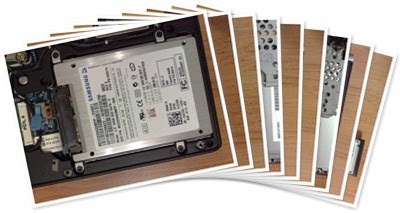
Computers needing surgery were my Dell XPS M1330, and my friends’ Dell Studio XPS 13 (1340) and Sony VAIO VGN-SZ650N. To preserve Dell/Sony recovery partitions and also our existing operating systems for the purpose of an accurate benchmark comparison between before and after the SSD replacement, I used “Acronis Rescue Media” bootable CD’s “Acronis True Image” to clone every laptop’s HDD into each SSD with the HDD still installed inside the laptop and its own Samsung MCCOE64G5MPP-0VA SSD hooked up with a SATA/USB converter. Then the three hard disk drives were replaced by the solid-state drives respectively, but out of the ordinary, Windows failed to start on all three machines, with both Dells operating Windows 7 Ultimate 64-bit build 7100, and the Sony operating Windows Vista Business 32-bit Service Pack 2, showing the following error message:
Windows failed to start. A recent hardware or software change might be the cause. To fix the problem:
1. Insert your Windows installation disc and restart your computer.
2. Choose your language settings, and then click “Next.”
3. Click “Repair your computer.”
If you do not have this disc, contact your system administrator or computer manufacturer for assistance.
Status: 0xc000000f
Info: The boot selection failed because a required device is inaccessible.
For the Sony VAIO, operating Windows Vista Business 32-bit Service Pack 2, a simple try of the ERD Commander 6 bootable CD fixed the problem. Now the Dell laptops operating Windows 7 Ultimate 64-bit build 7100 looked different. So I tried booting them with Windows 7 Ultimate 64-bit build 7100 installation DVD. When it started “Install Windows,” I clicked “Next,” then clicked “Repair you computer,” and waited for the System Recovery to find my Windows installation. After a while, a dialog box was shown, displaying “Windows found problems with your computer’s startup options.” It was asking “Do you want to apply repairs and restart your computer?” I clicked “Repair and restart.” This fixed both Dell laptops’ SSD startup problem.
Searching Dell website, I found a firmware update for Samsung MCCOE64G5MPP-0VAD1, downloadable as R214180.exe for making a bootable CD/USB flash and BR214180.exe for making a bootable floppy disk. The update applies firmware PS105D15 (dated 3/25/2009) to the Samsung MCCOE64G5MPP-0VAD1 (64GB) and also MCBQE32G5MPP-0VAD1 (32GB) FlashSSD once executed over a bootable media.
Dell says the firmware upgrade reduces potential issues due to power mode transitions and improves internal error handling. This firmware will decrease the possibility of the drive not being detected and system hanging. The problem is Dell’s R214180 firmware upgrade doesn’t end up in a proper bootable CD once extracted for the moment. So I uploaded the fixed ISO file for making a Samsung 2.5 S2 RBX SSD PS105D15 firmware update bootable CD onto my SkyDrive.
My Dell XPS M1330 and Mohammadreza’s Sony VAIO VGN-SZ650N managed to upgrade their Samsung SSD RBX Series 64GB flawlessly, while Farshad’s Dell Studio XPS 13 failed right when Samsung ACube was trying to patch the drive with PS105D15.bin. Thanks to Samsung ACube programmers, Farshad’s SSD didn’t become a brick, and I managed to re-flash it in my Dell XPS M1330. What astonished us was Samsung’s trick in hiding ID 05 aka “Reallocated Sector Count” out of HD Tune Pro’s health status. ID 0C aka “Power Cycle Count” was reset, and ID 09 aka “Power On Hours Count” was also foolishly set to 1, making someone willing to buy a firmware-upgraded Samsung RBX solid-state drive unable to determine the exact amount of time the drive has been working, or how many reallocated sectors it has replaced so far.
The following table shows the three laptops’ configuration, and their accurate boot up benchmark, before and after the SSD installation:
| Laptop | Dell XPS M1330 | Dell Studio XPS 13 (1340) | Sony VAIO VGN-SZ650N | |||
| OS | Windows 7 Ultimate x64 Build 7100 | Windows 7 Ultimate x64 Build 7100 | Windows Vista Business x86 Service Pack 2 | |||
| CPU | Intel Centrino Duo T7500 2.20GHz 4MB L2 Cache | Intel Core 2 Duo P9600 2.66GHz 6MB L2 Cache | Intel Centrino Duo T7500 2.20GHz 4MB L2 Cache | |||
| RAM | 2GB Qimonda HYS64T128021HDL-3S-B DDR2 667 | 4GB Nanya DDR3 1066 | 4GB Kingston DDR2 800 | |||
| VGA | Nvidia GeForce 8400M GS 128MB | Hybrid-SLI Nvidia GeForce 9500M 256MB (GeForce 9400M G and GeForce 9200M GS) | Hybrid Nvidia GeForce 8400M GS 64MB and Intel GMA X3100 | |||
| HDD | 160GB Fujitsu MHY2160BH 5400RPM | 320GB Seagate Momentus 7200.3 ST9320421ASG | 160GB Seagate Momentus PSD ST91608220AS | |||
| SSD replacement | Before | After | Before | After | Before | After |
| Total seconds elapsed to finish POST | 6.74 | 6.78 | 13.23 | 13.20 | 10.85 | 11.24 |
| Total seconds elapsed before Windows welcomes user | 34.39 | 22.72 | 38.20 | 32.88 | 1:06.66 | 38.71 |
| Total seconds elapsed before Desktop is shown | 49.31 | 25.86 | 44.50 | 36.55 | 1:13.68 | 43.75 |
| Total seconds elapsed before tray icons are completely displayed | 59.52 | 32.25 | 54.31 | 42.38 | 1:30.81 | 48.38 |
After a fresh install of Windows 7 Ultimate x86 Build 7600 onto my Dell XPS M1330—now equipped with an SLC Samsung SSD RBX Series 64GB—it boots up in less than 28 seconds (7.03, 20.74, 23.14, 27.72) from off state, twice faster than when it was using an HDD, also its disk data transfer rate assessed by Windows Experience Index has jumped to 6.2. The same measure’s jumped from 4.6 to 5.9 in the VAIO—now SSD-equipped—operating its OEM Windows Vista x86. Now all three laptops are faster, lighter, quieter, and their batteries last longer, but there’s also an unsought side-effect to this amazing SSD experience. Because the lazy HDD is now replaced with the agile SLC SSD, system’s bottleneck point is removed, causing CPU not to have enough time to idle (read rest and cool down), so laptop’s cooling fan needs to overwork!
Thank you for the informative article,I have just bought a 64GB RBX SSD to install on my Lenovo S10,
Regarding CPU fan, did you mean it is overworking even when the computer is Idle?
Have you seen any improvement in battery life time?
regards
Ali
No Ali, not when it’s idle. I meant when it was processing something which requires HDD activity… Of course, everybody is happier with the extra battery life we’ve got!
What Komeil has observed about his laptop’s fan overworking is because when your CPU is processing something which requires disk activity, CPU actually idles when data is being read/written once you have a normal (slow) HDD, but it’s stressed when there’s an SSD making the read/write job in a blink of an eye, leaving CPU no time to idle! Hope this helps.
Hi Komeil,
I got a M1330 with one of the first Samsung 64GB SSDs just over two years ago. Everything was fine until a few months ago when I started to get the same symptoms as you describe: Windows failed to start, etc.
I was wondering if it’s a slow hardware failure and the disc will fail. I may try your solution tomorrow. Do you have any thoughts on this? Were your discs newer than 2 years?
Cheers,
Jim
Jim, my “Windows failed to start” problem was caused by copying an old HDD partition onto SSD, because I’ve been using an old version of Acronis True Image for the partition cloning purpose. It has nothing to do with aging or physical problems. Those SSDs had less than 10 hours of operation age. You can check yours for “Power On Hours Count” too, using HD Tune Pro. If you were operating Windows Vista for the last 2 years, odds are it’s physically damaged, since Vista wasn’t prepared for dealing with SSDs, as SSDs are vulnerable to numerously writing on the same location, which is just fixed in Windows 7. You can also check yours for its physical damages and health status in HD Tune Pro, only if its firmware is not flashed, since firmware-upgraded Samsung RBX SSDs do not keep “Reallocated Sector Count” unlike what they did before.
Hi Komeil,
Thanks for the suggestion. This is the info I’m getting:
HD Tune Pro: MCBQE64GBMPP Health
ID Current Worst ThresholdData Status
(09) Power On Hours Count 97 97 0 12832 ok
(0C) Power Cycle Count 97 97 0 2196 ok
(BB) Reported Uncorrectable Errors 100 100 0 0 ok
(C3) Hardware ECC Recovered 200 200 0 0 ok
(C6) Offline Uncorrectable 100 100 0 0 ok
(C7) Ultra DMA CRC Error Count 200 200 0 0 ok
(C8) Write Error Rate 78 78 2 460 ok
(C9) Soft Read Error Rate 100 100 2 0 ok
(CA) Data Address Marker errors 100 100 2 0 ok
(CB) Run Out Cancel 99 99 23 1923 ok
(01) Raw Read Error Rate 99 99 51 0 ok
(03) Spin Up Time 99 99 25 0 ok
(04) Start/Stop Count 99 99 0 0 ok
(05) Reallocated Sector Count 99 99 10 0 ok
(07) Seek Error Rate 99 99 51 0 ok
(08) Seek Time Performance 99 99 15 0 ok
(0A) Spin Retry Count 99 99 49 0 ok
(0B) Calibration Retry Count 99 99 0 0 ok
(B8) (unknown attribute) 99 99 0 0 ok
(BC) Command Timeout 99 99 0 0 ok
(BE) Airflow Temperature 45 45 40 0 ok
(BF) G-sense Error Rate 99 99 0 0 ok
(C0) Power Off Retract Count 99 99 0 0 ok
(C1) Load Cycle Count 99 99 0 0 ok
(C2) Temperature 24 24 0 0 ok
(C4) Reallocated Event Count 99 99 0 0 ok
(C5) Current Pending Sector 99 99 0 0 ok
Health Status : ok
The current/worst numbers seem to be stuck at 99 for a lot of things. I take that the actual value we need to look at is “Data”. So my Power On Hours Count is 12832 it would appear.
Cheers,
Jim
Jim, you’re right about the actual value being “Data”. Your SSD’s “Power Cycle Count” and “Power On Hours Count” reveals you’ve powered on/off your laptop 2196 times, and it’s been up for 12832 hours. Its “Reallocated Sector Count” is 10 which is excellent for a 2-year-old 12-thousand-hour-working SSD. Reallocated sectors are bad sectors automatically replaced with predicted spare sectors by SSD’s own BIOS firmware. And because it has ZERO “Reported Uncorrectable Errors”, it’s in nice condition, just like new. The problem shouldn’t be with the SSD. I think a “Microsoft ERD Commander” fix attempt will solve the boot issue for good, but consider a fresh Windows 7 installation, because it’s suited for SSDs, as opposed to Vista. Also please note your SSD is of type “MCBQE64GBMPP”, with no firmware upgrade available so far, so don’t try to flash with the newer “MCCOE64G5MPP” model’s firmware upgrade PS105D15.
I think this is an extremely great article about SSDs , this article has changed my opinion about SSDs, thanks for sharing your valuable research and information.